ISGA Import
Open the main menu (top left) and click on “Infektionsschutz”, then “Meldepflichtige Erkrankungen”, and finally “Person”. Under the menu item “Dienste” you will then find “Auswertung”; click here on “Auswertung CSV”. The following menu should then open:
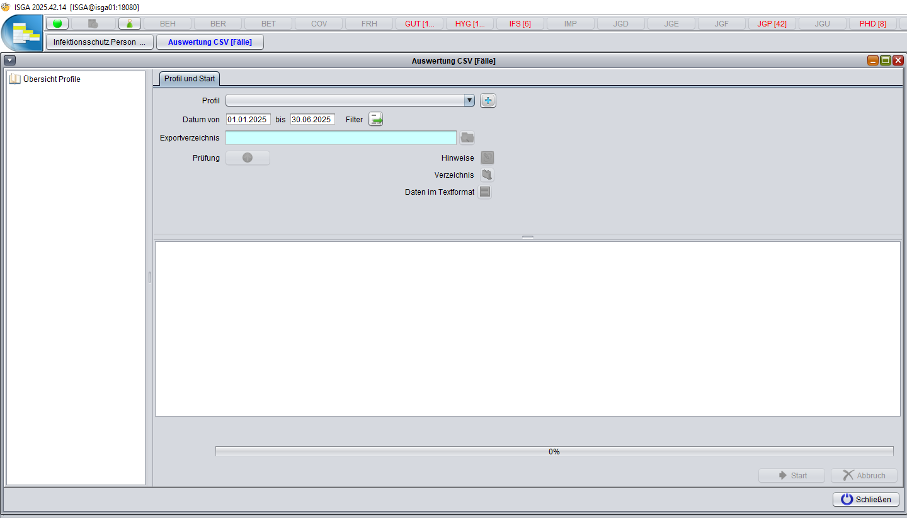
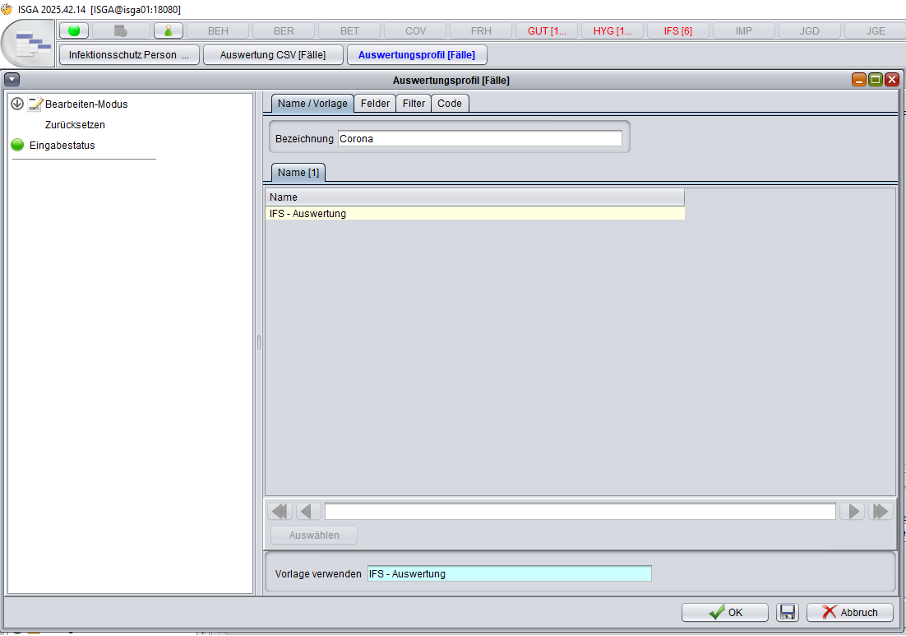
Next to the drop-down / expandable menu labeled “Profil”, click on the folder icon with a plus sign. This will open another view with four tabs: „Name / Vorlage“, „Felder“, „Filter“ und „Code“. Under „Name / Vorlage“ you can assign a name to your new analysis profile:
Under “Felder” you can specify the information required for the query:
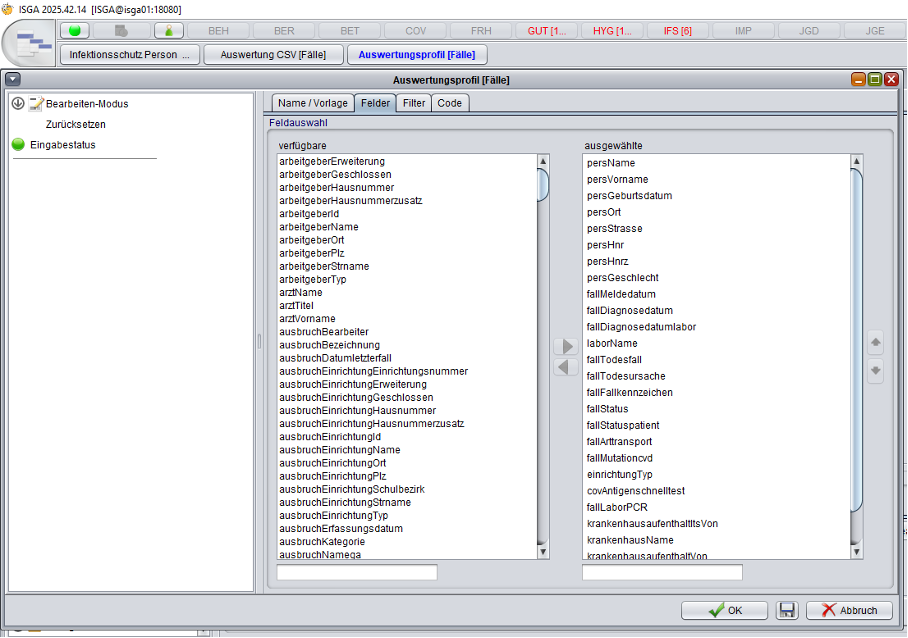
For GENTRAIN, please select the following fields for your query: fallFallkennzeichen, fallMeldedatum, ausbruchAktenzeichen, ausbruchId, persName, persVorname, persGeburtsdatum, persOrt, persStrasse, persHnr
Finally, under “Filter” you can specify conditions for a more precise data selection. In most GENTRAIN use cases, filtering by type of disease should be applied here, for example COVID-19:
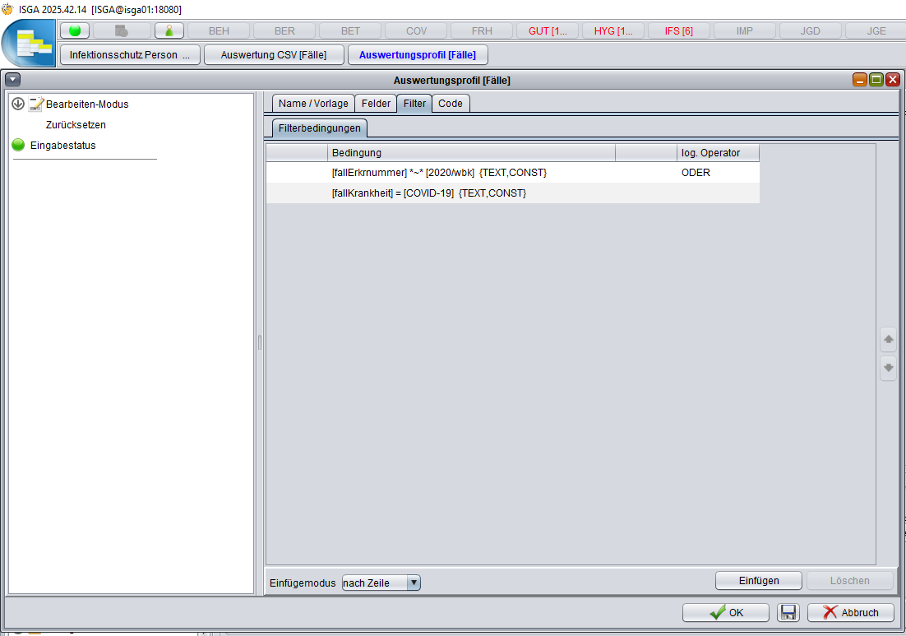
In many scenarios, a time-based filter using the reporting dates is also useful. Once fields and filters have been selected, you can save and execute the query using the buttons located at the bottom right of the window. The resulting CSV file can then be conveniently uploaded via the GENTRAIN web interface.